

ProjectCane
Sly Cooper and the Thievius Raccoonus
Stealth platformer · 2002
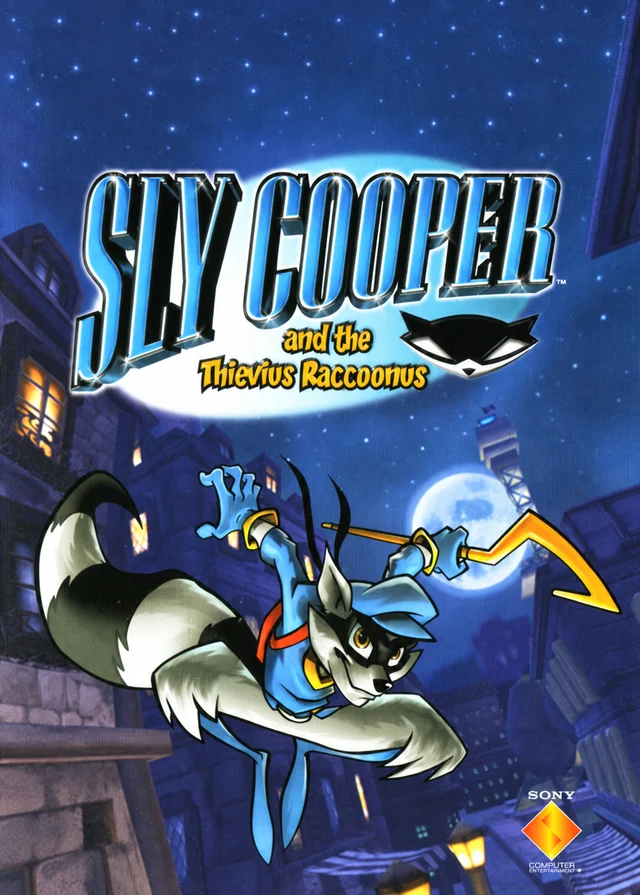
Rediscover Sly Cooper and the Thievius Raccoonus.
Rediscover Sly Cooper and the Thievius Raccoonus with ProjectCane, a native PC port by theclub654 built through reverse engineering. The project describes the full game as playable on Windows and Linux. Bring a compatible PlayStation 2 ISO from your own copy and use the included extractor to prepare the game data. This unofficial port is still in development, so bugs and differences from the original game may remain.
A closer look at the game
How to start playing
- 01
Get Ready
Make sure you have a PlayStation 2 ISO of Sly Cooper and the Thievius Raccoonus to play.
- 02
Choose your download
Download the release for your operating system, then extract the archive to a folder of your choice.
- 03
Open the included extractor
On Windows, open the File Extractor GUI. On Linux, open a terminal in the extracted folder and run: bash "Run File Extractor.sh". On Steam Deck, use Konsole in Desktop Mode.
- 04
Select your ISO and extract the data
Select your compatible game ISO. Choose the ProjectCane folder as the destination: the folder containing the Windows executable or ProjectCane-x86_64.AppImage. Wait for extraction to finish.
- 05
Start playing
On Windows, launch "Sly Cooper and the Thievius Raccoonus.exe". On Linux, run: bash "Run ProjectCane.sh". The Linux launch scripts set the required executable permissions automatically.
A quick overview to guide you. Full, up-to-date instructions are in the official documentation (opens in a new tab).
What you need to know
- Systems
- Windows · Linux
- Minimum requirements
- 64-bit Windows or Linux. Minimum CPU, GPU and RAM requirements are not published.
- Controls
- Controller support is still being refined. Check the official project documentation for current input support and known issues.
- Resolution and video
- Beta 0.5.0 fixes widescreen cutscene presentation. The current README does not specify supported resolution or frame-rate limits.
- Mods
- No official mod installation guide is documented in the current README.
- Files
- Your own compatible PlayStation 2 ISO: North America (SCUS-97198), PAL (SCES-50917) or Japan (SCPS-15036). Extract its data before playing. Keep Worlds and Cutscenes beside the executable or AppImage.
Frequently asked questions
Does the download include the full game?
No. The project provides the port, engine or tools. You need compatible original files: Your own compatible PlayStation 2 ISO: North America (SCUS-97198), PAL (SCES-50917) or Japan (SCPS-15036). Extract its data before playing. Keep Worlds and Cutscenes beside the executable or AppImage.
Do I need to know how to code?
Packages or an official launcher are available. Follow the steps and check the documentation for your chosen version.
Where can I get help if it does not work?
Check your operating system version, supported files and project notes. The official documentation is the reference for specific issues.
RELATED GAMES
Your next adventure could be here
 Decompilation
Jak and Daxter
OpenGOAL · The Precursor Legacy
 Decompilation
Jak II
OpenGOAL
 Decompilation
ICO
ico-pc
 Recompilation
Majora’s Mask
Zelda 64: Recompiled